
Exporting NC & DSTV Files from Tekla Structures to CNC Machines: Eliminating Material Waste
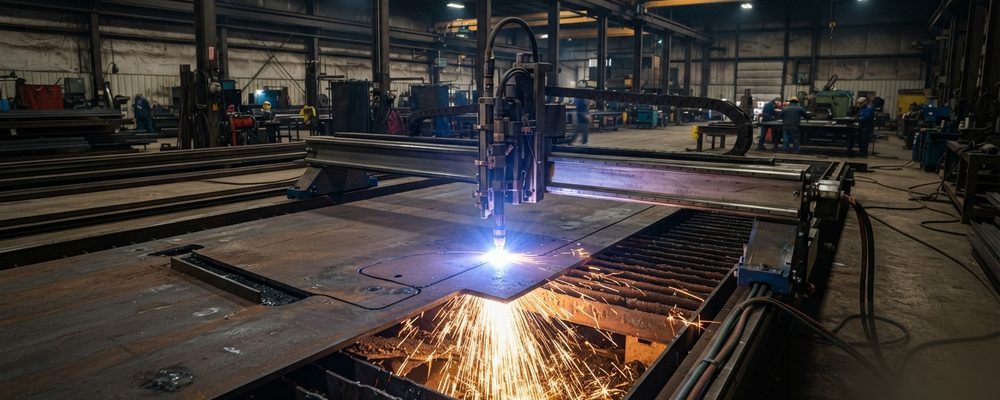
- NC/DSTV files export geometric coordinates, hole patterns, cuts and bevel angles straight from the validated Tekla model to CNC equipment.
- Every member and plate carries a unique piece mark embedded in the DSTV data, which nesting software uses to optimize cutting layouts.
- Tekla PowerFab integration lets fabricators track inventory and reconcile the BOM against production status in real time.
Modern steel fabrication relies heavily on automated CNC machinery for sawing, drilling, punching, and plasma/laser cutting. Manual re-entry of dimensional data at the machine interface introduces human error, delays production, and increases material scrap.
Direct DSTV/NC File Export
Tekla Structures generates numerical control (NC) files and DSTV data directly from the validated 3D BIM model. These files pass geometric coordinates, hole patterns, cuts, and bevel angles straight to CNC equipment.
Piece Mark Integration & Material Tracking
Every steel member and fitting plate receives a unique piece mark within the 3D model. These piece marks are embedded into the DSTV data, enabling automated nesting software to optimize cutting layouts across raw steel beams and plates.
Tekla PowerFab Integration
Real-time data exchange between Tekla Structures and fabrication management platforms like Tekla PowerFab enables fabricators to track material inventory, monitor production status, and reconcile Bills of Materials (BOM) dynamically.
Machine-Specific Export Settings
A DSTV export that opens correctly doesn't guarantee a correct cut. Kerf compensation — the small offset added to account for the width of material removed by the cutting tool — has to match the actual machine and blade or torch being used, and a generic export profile applied across different machines in the same shop can produce parts that are consistently a millimeter or two off from nominal, which is usually invisible until parts stop fitting cleanly at assembly. Setting up a named machine profile in the export settings for each piece of shop equipment, rather than using one default profile for everything, is the fix most shops land on once this kind of drift shows up.
Troubleshooting Common Export Errors
Most NC/DSTV export failures trace back to geometry the model allows but the machine's control software doesn't — a hole placed too close to a member end for the machine's tooling, a bevel angle outside the machine's cutting range, or a part number containing a character the machine's software doesn't accept. Running a pre-export geometry check against the target machine's known limits, rather than discovering the conflict when the file fails to load at the machine, saves a trip back to the model during what should be cutting time.
Verifying Exported Files Before They Reach the Machine
A DSTV file that exports without an error message isn't automatically a correct file — it's simply a file the export process didn't reject. A quick verification step, opening the exported file in a lightweight NC viewer (separate from the CNC machine's own control software) to visually confirm hole positions, cope profiles, and piece marking before the file is sent to the shop floor, catches the category of error that passes export validation but would still cut a wrong part — a hole pattern mirrored on the wrong face, for instance, is geometrically valid but wrong.
Keeping Export Settings Consistent Across a Project
Export settings that drift between drawing packages — a different kerf value applied to one batch of parts than another, or a machine profile changed mid-project without updating documentation — produce parts that are each individually correct for the settings used but inconsistent with each other. Locking export settings at the start of a project, documenting them alongside the machine profiles they correspond to, and requiring any change to go through the same review as a drawing revision keeps a project's NC output consistent from the first package to the last, rather than depending on whoever happens to run the export that day remembering the right settings.
Frequently asked questions