
Managing Drawing Revisions & Field RFIs: Preventing Erection Off Outdated Drawings
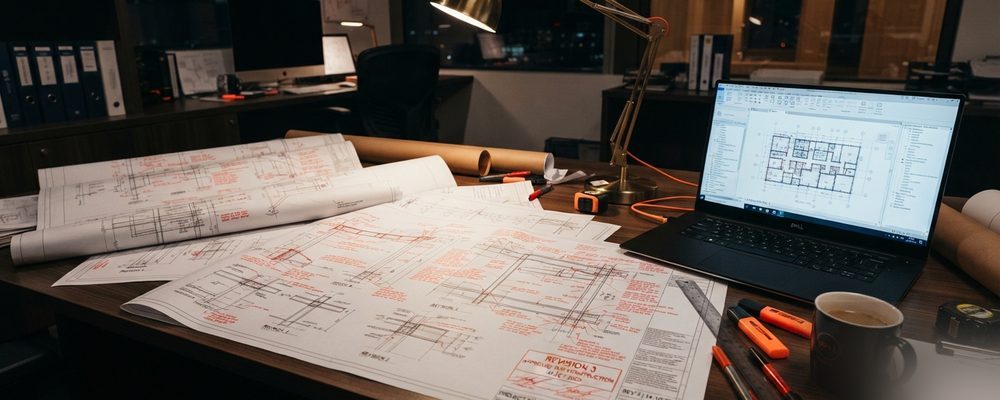
- Tekla automatically flags modified geometry and places revision clouds around changed elements when a design updates.
- Field RFIs should link directly to revision cloud marks on the drawing sheet, not exist as a separate, disconnected record.
- Keeping one centralized, cloud-hosted drawing set ensures the field, shop and detailers are always working from the current AFC (Approval for Construction) revision.
Installing steel off superseded or outdated drawing sheets leads to misassembled structures, safety hazards, and costly site refitting.
Tekla Revision Management
When design changes occur, Tekla Structures flags modified geometry, updates drawing sheets automatically, and places revision clouds around altered elements.
RFI (Request for Information) Workflow
Field erection queries must be documented through a formal RFI process, linking technical responses directly to revision cloud marks on drawing sheets.
Redmark Checklist & Cloud Collaboration
Maintaining a centralized digital drawing platform ensures field superintendents, shop supervisors, and detailers always work from the active Approval for Construction (AFC) drawing set.
Communicating Revisions to the Shop Floor
A revised drawing is only useful if the shop floor knows it's revised. Revision clouds around the changed area, a revision triangle with the new revision number, and a revision log on the title block that briefly states what changed are the minimum a shop-floor worker needs to trust that they're cutting from the current version rather than double-checking against the drawing office every time. Just as important is actively pulling superseded sheets from the shop floor when a new revision is issued — a stack of drawings where an old and a new revision of the same sheet are both physically present is how outdated information gets used by accident, no matter how clearly the new sheet is marked.
Common Revision Control Failures
The most frequent failure isn't a missed revision — it's a revision that updates the drawing PDF but not the linked BOM, cut list, or NC export, so the shop is cutting to the new drawing but ordering or programming to the old data. Any workflow where a drawing revision doesn't automatically trigger a re-export of every downstream document tied to that model needs a manual checklist step to catch the gap, or the revision control process ends up protecting the drawing while leaving everything built from it out of date.
Setting Realistic RFI Response-Time Expectations
An RFI workflow works as well as the response-time commitment behind it, and that commitment needs to be realistic enough that it's actually honored rather than aspirational enough that it's routinely missed. A stated 48-hour turnaround that's actually met builds trust with the field and keeps erection moving; a stated 24-hour turnaround that slips to a week destroys that trust and pushes field crews toward working around missing information rather than waiting for it — which is when drawings genuinely do get built to an outdated or assumed answer instead of a confirmed one.
Archiving Superseded Drawings Correctly
A superseded drawing shouldn't simply be deleted once a new revision is issued — it needs to be archived in a way that preserves what was built or fabricated against that earlier version, since as-built documentation and warranty questions often require reconstructing exactly which revision was current at the time a specific piece was cut or erected. A dated, clearly labeled revision archive, kept separate from the active drawing set so it can't be mistaken for current information, protects the project record without leaving outdated drawings where the shop floor might accidentally pull from them.
It also helps to distinguish, in the RFI log itself, between an RFI that changes the drawing and one that's answered without any drawing impact — conflating the two makes it harder to see, at a glance, how many actual revisions a project has absorbed versus how many questions were simply clarifications. That distinction becomes useful later if a dispute arises about how many real design changes occurred over the life of the project.
Frequently asked questions